Healthcare Growth Systems
Appointment Booking Automation for Clinics: How to Reduce No-Shows and Manual Follow-Up
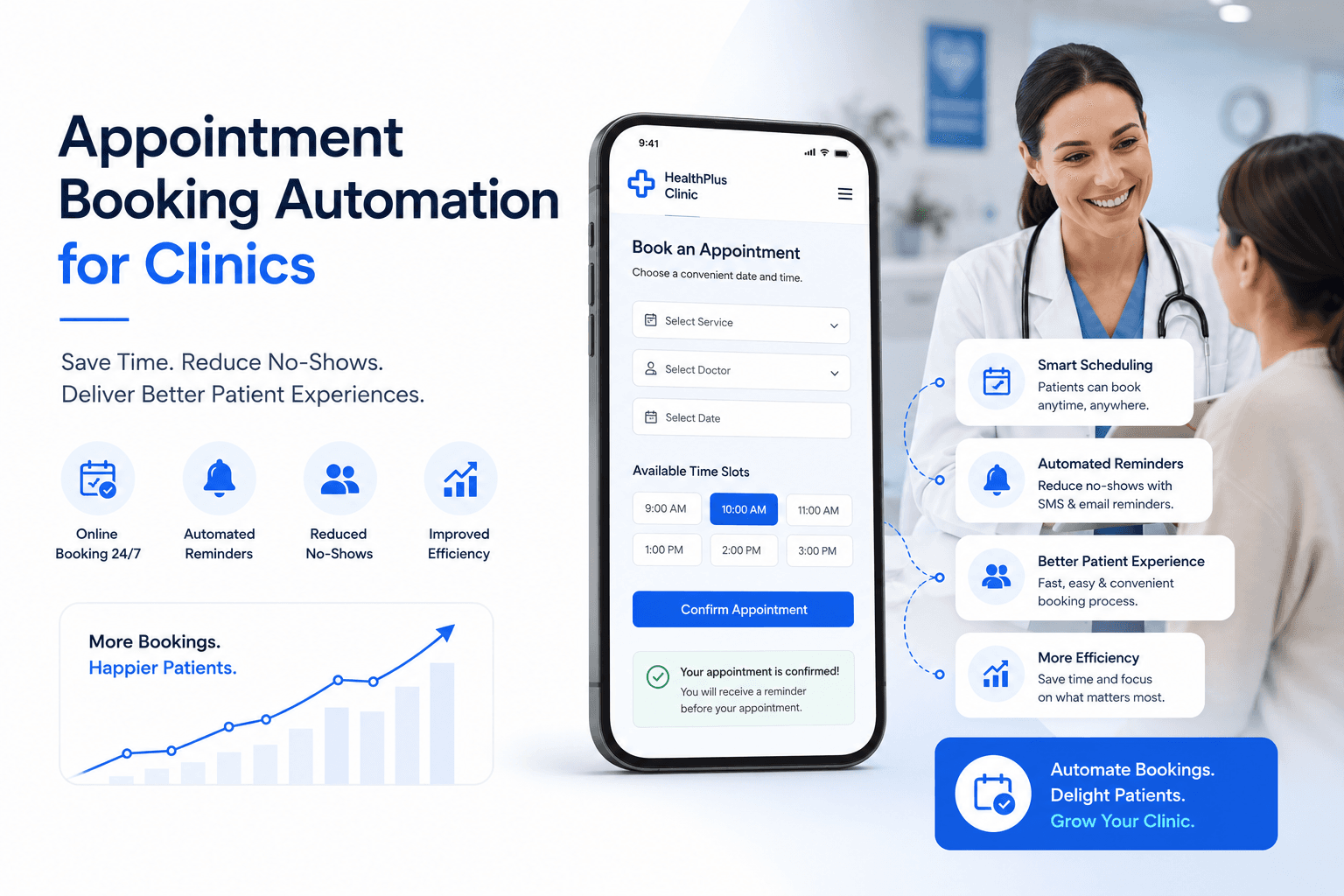
A clinic can have a great website, strong reviews, and steady patient interest, but still lose appointments because the booking process is too manual.
That usually happens in small ways. A patient calls while the front desk is busy. Someone submits a form after office hours. A new lead waits too long for a reply. A patient forgets their appointment. A follow-up task depends on someone remembering it. A no-show is never contacted again.
None of these problems feel huge on their own. But across a week or a month, they can quietly cost the clinic real revenue.
That is why appointment booking automation for clinics matters. It helps clinics capture patient inquiries, respond faster, send reminders, organize leads, and reduce the amount of manual follow-up placed on the front desk.
The goal is not to remove the human side of healthcare. The goal is to make sure patient interest does not disappear because the process is too slow or scattered.
What is appointment booking automation for clinics?
Appointment booking automation is the process of using forms, calendars, CRM workflows, SMS reminders, email reminders, staff notifications, and follow-up messages to help patient inquiries move toward scheduled visits.
In simple terms, it connects the steps that usually happen manually. A patient requests an appointment. The clinic receives the inquiry. The patient gets a confirmation. The lead is tracked in a CRM. The staff gets notified. The patient receives reminders. If the patient does not respond or misses the appointment, follow-up can happen automatically.
For clinics, this can reduce missed opportunities and make the booking process easier for both patients and staff. Our clinic appointment booking automation system connects the website, CRM, calendar, reminders, and missed-call recovery into one patient booking flow.
Why clinics lose appointments before the visit happens
Many appointment problems happen before the patient ever walks into the clinic. The patient may be interested, but the system around the booking process is weak.
Common issues include websites that only say Call us, forms that go to an inbox nobody checks quickly, front desks that are too busy to answer every call, missed calls that do not receive a fast response, patients who do not get confirmation messages, manual appointment reminders, no-show leads that are never contacted again, and no CRM pipeline showing who followed up last.
This creates confusion. A clinic may think it needs more leads, but the real issue may be that existing leads are not being handled consistently.
If a patient has already shown interest, the clinic should make the next step as simple as possible.
Patients expect faster booking experiences now
Patients are used to simple online experiences. They can book restaurants, classes, deliveries, calls, and services from their phone. So when they visit a clinic website, many expect the next step to be easy.
That does not mean every clinic needs a fully open self-scheduling calendar. Some clinics may still need staff review before confirming an appointment. But patients should still have a clear way to request the appointment.
A strong booking flow should answer how to book, whether someone will respond, whether the clinic received the request, what happens next, and whether the patient can confirm or reschedule easily.
When these answers are unclear, patients hesitate. And hesitation often turns into lost appointments.
How appointment booking automation works
A simple appointment booking automation system can work like this: a patient visits your clinic website, lands on a service page or location page, clicks Request Appointment, completes a short form, enters the clinic CRM, receives an instant confirmation text or email, and triggers an internal alert for the clinic team.
The lead then appears in a booking pipeline. If the patient does not respond, follow-up can be triggered. Before the visit, appointment reminders are sent. If the patient misses the appointment, a reschedule message can be sent.
This process does not need to be complicated. For many clinics, the best setup is simple, clear, and easy for the team to use.
What should be included in a clinic booking automation system?
A good system should match the clinic's real workflow. Some clinics need appointment request forms. Some need missed-call recovery. Some need reminders. Some need a better pipeline. Some need all of it connected together.
A clear appointment request form should be easy to find and easy to complete. Patients should not have to answer too many questions before someone contacts them. A good starting form may ask for name, phone number, email, preferred appointment time, service or concern, and a short message.
An instant confirmation message reassures the patient that the request went through. A simple message can say: Thanks for contacting Clinic Name. We received your appointment request and our team will follow up soon.
Internal staff notifications make sure your team knows immediately when a new appointment request comes in. CRM pipeline tracking helps the clinic see stages such as New Inquiry, Contacted, Appointment Requested, Appointment Booked, No Response, Follow-Up Needed, No-Show, Rescheduled, and Completed Visit.
Appointment reminder automation helps reduce manual calls and lower the chance of patients forgetting their visit. Common reminder timing includes 24 hours before, 3 hours before, or the morning of the appointment.
Missed-call text back is important because missed calls are often high-intent leads. If someone calls a clinic, they may be ready to book. If the call is missed, they may move on quickly. A missed-call text back workflow gives the patient a way back into the conversation.
No-show follow-up can send a polite message asking if the patient wants to reschedule. This can recover appointments that would otherwise be lost.
How GoHighLevel can support appointment booking for clinics
GoHighLevel can be useful for clinics because it can connect website forms, calendars, SMS, email, pipelines, reminders, and missed-call workflows in one place.
For appointment booking, GoHighLevel can help with website form capture, CRM pipeline setup, automated SMS confirmations, automated email confirmations, appointment reminders, missed-call text back, staff notifications, lead source tracking, follow-up workflows, and review request workflows.
The value is not just having the software. The value is setting it up around the clinic's real booking process. A poorly planned automation system can confuse staff and patients. A simple, well-planned system can make follow-up easier and more consistent.
For the broader clinic stack, see our healthcare website and CRM automation system and our guide to GoHighLevel for clinics.
Appointment automation does not replace your front desk
For healthcare clinics
Connect the clinic website, CRM, booking, and follow-up.
Explore the clinic-specific system for appointment conversion, reminders, missed-call recovery, and patient follow-up.
View the healthcare system →Automation should support your clinic team, not replace them. Patients still need real people. They may have questions, concerns, insurance details, scheduling conflicts, or personal situations that require human care.
Automation is best for repetitive steps such as sending confirmations, sending reminders, notifying staff, organizing leads, following up on missed calls, creating tasks, and tracking pipeline stages.
Your team still handles the important conversations. The automation simply helps make sure those conversations happen faster and are less likely to be missed.
How appointment reminders help reduce no-shows
No-shows are frustrating because they create empty schedule gaps. The clinic loses time. The provider loses productivity. Another patient could have used that slot. Staff may have prepared for a visit that never happened.
Appointment reminders help because they keep the visit top of mind. A reminder also gives patients a chance to confirm, cancel, or reschedule before the appointment time.
This is much better than discovering the no-show only after the patient fails to arrive. For many clinics, reminders are one of the simplest ways to improve the booking process.
Online booking vs appointment request forms
Not every clinic needs the same type of booking setup. Online booking lets patients choose an available time directly from a calendar. It works well for clinics with simple appointment types and clear availability.
Appointment request forms let patients request an appointment, but the clinic confirms the final time manually. This works better when appointments need staff review, insurance checks, provider matching, or triage.
Many healthcare clinics prefer appointment request forms because they give the clinic more control. The right choice depends on the practice. The important part is that the patient should have a clear way to take action.
Common mistakes clinics make with booking automation
Automation can help, but only if it is built properly. Avoid making the form too long, sending robotic messages, forgetting staff notifications, skipping pipeline stages, ignoring missed calls, and overlooking privacy concerns.
Healthcare communication should be handled carefully. Avoid unnecessary sensitive information in SMS or email. Clinics should make sure their tools, messages, and workflows fit their legal and compliance requirements.
Example appointment booking automation workflow
A patient searches for back pain treatment near me, lands on a service page, reads about symptoms and treatment options, clicks Request Appointment, fills out a short form, and enters GoHighLevel.
The patient receives a confirmation message. The front desk receives a notification. The lead moves into the New Inquiry stage. A staff member calls the patient. The appointment is booked. The patient gets reminders before the visit. After the appointment, the clinic sends a review request.
This workflow is simple, but it solves many common problems. It captures the inquiry, confirms the request, alerts staff, tracks the lead, reminds the patient, and supports review generation.
What types of clinics can use booking automation?
Appointment booking automation can work for pain management clinics, orthopedic clinics, physical therapy clinics, chiropractic clinics, vein clinics, med spas, dental clinics, wellness clinics, aesthetic clinics, specialty medical practices, and multi-location healthcare groups.
The setup should be adjusted based on the clinic type, appointment process, patient journey, and compliance needs. A med spa may have a different booking flow than a pain management clinic. A physical therapy practice may need a different follow-up process than a dental clinic.
How to know if your clinic needs appointment booking automation
Your clinic may need appointment booking automation if you miss calls during busy hours, manually follow up with every form lead, have common no-shows, cannot see which leads became booked visits, struggle to track website inquiries, run ads without knowing what happened to the leads, receive booking requests after hours, or rely too much on inboxes and spreadsheets.
If these problems sound familiar, your clinic may not need a completely new marketing strategy first. It may need a better system for handling the leads it already gets.
How appointment booking automation supports healthcare SEO
Healthcare SEO does not end when someone lands on the website. If your clinic ranks well but visitors do not become appointments, the business result is weak.
Appointment booking automation helps support SEO by improving what happens after the click. A service page brings in local search traffic, the page explains the treatment clearly, the patient clicks the appointment CTA, the form captures the inquiry, the CRM tracks the lead, and the reminder system helps protect the appointment.
This connects SEO with actual patient acquisition. That is why healthcare website design for clinic conversions, CRM automation, and appointment workflows should be planned together.
Why this matters for clinic growth
Clinic growth is not only about getting more attention. It is about building a better path from interest to appointment.
A patient who is ready to book should not get lost because of a missed call, slow response, confusing form, or forgotten follow-up.
Appointment booking automation gives patients a clearer experience, gives staff a better system, gives clinic owners more visibility, and helps protect the leads your marketing already worked to generate.
Build a better appointment booking flow for your clinic
If your clinic is getting website visitors, calls, or form submissions but too many are not turning into booked appointments, your booking process may need improvement.
Flux Media Creations builds clinic appointment booking automation systems using WordPress, GoHighLevel CRM, SMS reminders, missed-call recovery, staff notifications, and patient follow-up workflows.
We help clinics connect the website, CRM, and booking process so more patient inquiries become scheduled visits. Learn more about our clinic appointment booking automation system.
Frequently Asked Questions
What is appointment booking automation for clinics?
Appointment booking automation for clinics is a system that connects website forms, calendars, CRM pipelines, SMS reminders, email reminders, staff notifications, and follow-up workflows so patient inquiries can be captured, tracked, confirmed, and followed up more efficiently.
How does appointment booking automation reduce no-shows?
Appointment booking automation can reduce no-shows by sending reminder messages before the appointment. These reminders help patients remember the visit and give them a chance to confirm, cancel, or reschedule.
Can GoHighLevel be used for clinic appointment booking?
Yes. GoHighLevel can support clinic appointment booking with forms, calendars, CRM pipelines, SMS and email follow-up, appointment reminders, missed-call text back, and staff notifications.
Should clinics use online booking or appointment request forms?
It depends on the clinic. Online booking works well when appointment types and availability are simple. Appointment request forms work better when staff need to confirm details, check insurance, match providers, or review the request before scheduling.
What should a clinic appointment form include?
A clinic appointment form should usually include the patient's name, phone number, email, preferred appointment time, service or concern, and a short message field. The form should be simple enough to complete quickly on mobile.
Can appointment booking automation connect with a WordPress website?
Yes. A WordPress clinic website can be connected with GoHighLevel forms, calendars, CRM workflows, SMS reminders, email follow-up, and lead tracking.
Does appointment automation replace clinic staff?
No. Appointment automation supports clinic staff by handling repetitive tasks such as confirmations, reminders, notifications, and follow-up prompts. Staff are still needed for patient conversations, scheduling decisions, and care-related communication.
Is appointment booking automation useful for small clinics?
Yes. Small clinics often benefit because automation reduces manual admin work, helps recover missed inquiries, and gives the front desk a clearer system for tracking appointment requests.
About the Author
Gagan Deep is the founder of Flux Media Creations, building WordPress healthcare websites and GoHighLevel automation systems for clinics that need clearer booking, follow-up, reminders, and missed-call recovery.
Related Posts
Continue exploring
Article resources
Table of contents
Recent posts
Services we offer
Categories