Healthcare Growth Systems
GoHighLevel for Clinics: How to Capture, Follow Up, and Book More Patient Leads
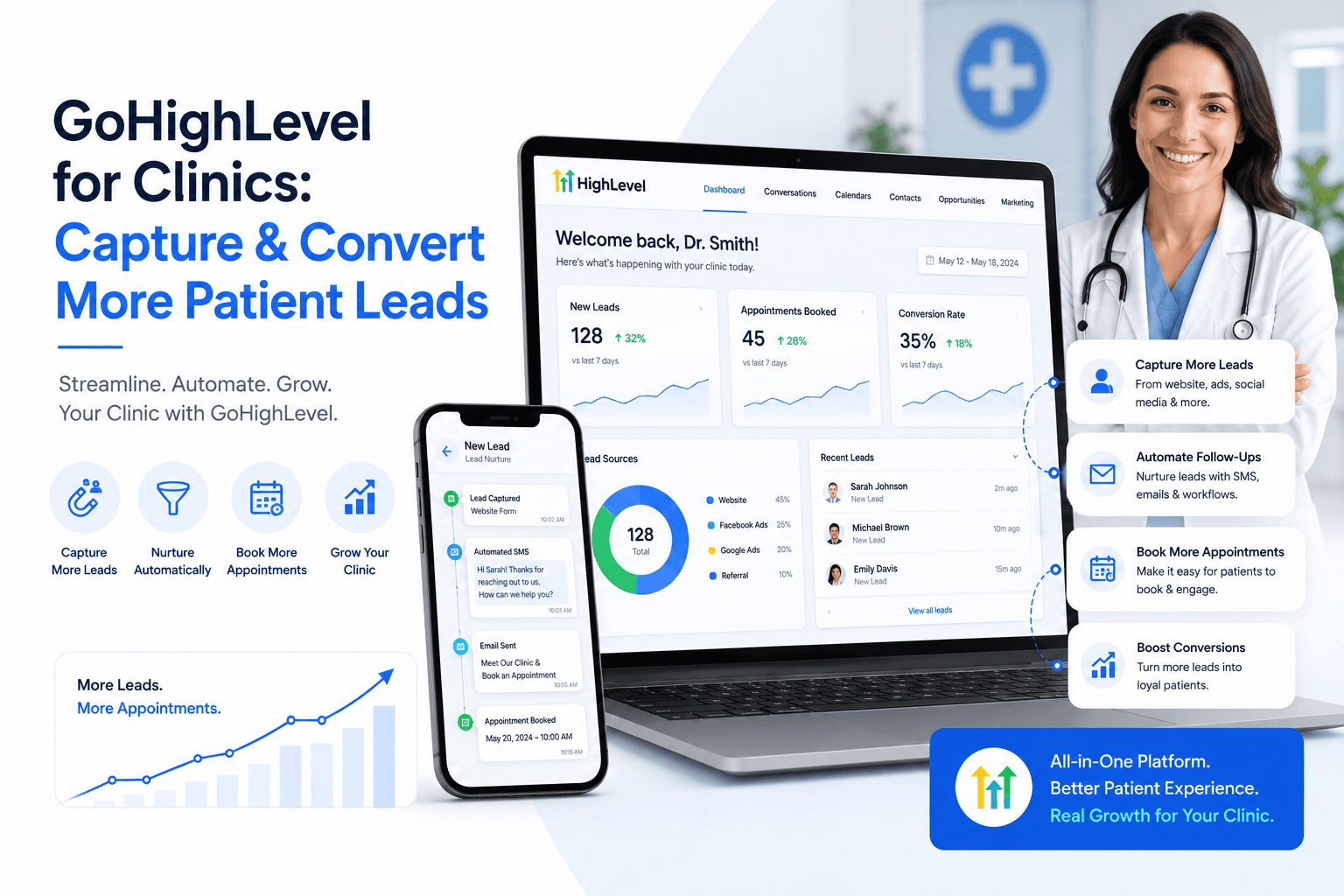
Most clinics do not have a lead problem only. They have a follow-up problem.
A patient fills out a form and waits. Someone calls the clinic, but the front desk is busy. A missed call goes unanswered. A new inquiry lands in an inbox with no clear owner. A patient books a consultation but forgets the appointment. Someone visits the website after hours, wants help, and leaves because there is no simple next step.
These are small gaps, but they add up. For a clinic, every missed inquiry can mean lost revenue, a lower patient volume, and more pressure on the front desk. This is why more healthcare practices are looking at CRM and automation tools like GoHighLevel.
GoHighLevel for clinics is not just about sending text messages or building funnels. When set up properly, it can help a clinic capture patient inquiries, organize leads, automate follow-up, recover missed calls, send appointment reminders, request reviews, and track what happens after someone contacts the practice.
The important part is this: the tool itself is not the strategy. A clinic needs the right workflow behind it. If the website also needs improvement, start with the full healthcare website and CRM system so the page structure and follow-up logic work together.
Why clinics need more than a contact form
A basic contact form is not enough anymore. Many clinic websites still work like this: a patient visits the website, fills out a form, the form sends an email, someone from the clinic has to notice it, someone has to reply manually, and then someone has to remember to follow up again.
That process may work when the clinic is quiet. But on a busy day, leads get delayed or missed. The same problem happens with phone calls.
If the front desk is speaking with a patient, handling paperwork, checking insurance, or managing appointments, they may miss a call. The caller may not leave a voicemail. They may simply call another clinic.
This is where a CRM system becomes useful. A CRM gives the clinic one place to track inquiries, calls, forms, appointment requests, and follow-up status. Instead of relying only on memory, inboxes, or sticky notes, the clinic can see where each lead stands.
For clinics that depend on new patient appointments, this matters a lot.
What is GoHighLevel for clinics?
GoHighLevel is a CRM and automation platform that agencies and businesses use to manage leads, conversations, campaigns, appointment workflows, websites, funnels, and follow-up systems.
For clinics, the main value is not every feature inside the platform. The main value is building a simple system that helps the clinic respond faster and lose fewer inquiries.
A clinic can use GoHighLevel for patient inquiry tracking, website form follow-up, missed call text back, appointment request workflows, SMS and email reminders, lead pipeline management, internal staff notifications, review requests, reactivation campaigns, landing page follow-up, Google Ads lead follow-up, and website chat or message workflows.
The goal is not to automate everything. The goal is to automate the repetitive parts of communication so the clinic team can focus on real patient care and higher-quality conversations.
The real problem: patients move faster than clinic systems
Patients do not always wait. If someone is looking for a pain management clinic, med spa, orthopedic clinic, dental office, physical therapy clinic, or vein clinic, they may contact more than one provider.
They may call the first clinic on Google. If no one answers, they call another one. They may fill out a form. If there is no response for several hours, they may book somewhere else. They may click an ad. If the landing page is confusing or the booking process is slow, they leave.
This is why speed matters. A fast response does not guarantee a booking, but a slow response makes it easier to lose the patient.
GoHighLevel can help clinics create a faster response system. For example, a patient can submit a form and immediately receive a confirmation message. The clinic team can also receive an internal notification, and the inquiry can move into a pipeline for follow-up.
This is much stronger than hoping someone checks the inbox at the right time.
How GoHighLevel helps clinics capture more patient leads
The first job of any clinic growth system is simple: capture the inquiry. GoHighLevel can connect with different lead sources so inquiries are easier to track.
These sources may include website forms, landing pages, phone calls, missed calls, Facebook or Instagram ads, Google Ads landing pages, chat widgets, appointment calendars, and manual front desk entries.
When these sources are connected properly, the clinic can see where new leads are coming from and what happened after the inquiry.
This helps answer important questions: how many leads came from the website, how many calls were missed, which service pages generated inquiries, how many leads booked appointments, which leads need follow-up, and which inquiries never received a response.
Without tracking, a clinic may feel like marketing is not working when the real issue is that leads are not being followed up consistently.
Missed call text back for clinics
Missed calls are one of the easiest places for clinics to lose patients. The patient is already interested enough to call. That is a strong signal. But if the clinic misses the call, the opportunity can disappear quickly.
Missed call text back is a simple automation that sends an SMS when a call is missed. For example: Hi, this is Clinic Name. Sorry we missed your call. Would you like help scheduling an appointment?
This message gives the patient a quick way to continue the conversation instead of starting over with another clinic. For many healthcare practices, this is one of the most practical first automations to build because it solves a real front desk problem.
It is not complicated. It is not flashy. It simply helps the clinic respond when staff cannot answer every call. For a deeper walkthrough, read our GoHighLevel missed call text-back guide.
Patient follow-up automation
Follow-up is where many clinics lose momentum. A patient may submit a form but not answer the first call. Another patient may ask about a service but need more information before booking. Someone else may want an appointment but forget to confirm.
A follow-up workflow can keep the conversation moving. After a form submission, the clinic can send an instant confirmation text, a short email with next steps, an internal staff notification, a reminder for the team to call, a second follow-up message if the patient does not respond, and a final check-in message after a few days.
This does not replace human communication. It supports it. The clinic still needs real staff, real judgment, and real care. Automation simply helps make sure inquiries are not forgotten.
Appointment reminders and no-show reduction
No-shows are frustrating for clinics. They waste schedule space, reduce revenue, and create gaps that could have been used for another patient.
Appointment reminders can help reduce this problem. With GoHighLevel, clinics can create reminders through SMS or email before the appointment. A simple reminder may include the appointment date, time, location, and any basic instructions. For a dedicated setup, see our clinic appointment booking automation system.
For example: Reminder: Your appointment with Clinic Name is tomorrow at 10:30 AM. Reply C to confirm or call us if you need to reschedule.
For healthcare clinics
Connect the clinic website, CRM, booking, and follow-up.
Explore the clinic-specific system for appointment conversion, reminders, missed-call recovery, and patient follow-up.
View the healthcare system →The message should be simple and useful. Clinics should also be careful about what information they include in messages. Healthcare communication should be planned with privacy and compliance in mind, especially when handling protected health information.
Pipeline tracking for clinic leads
A pipeline helps the clinic see where each inquiry stands. Instead of every lead sitting in one inbox, the clinic can organize inquiries into stages.
Example clinic pipeline stages include New Inquiry, Contacted, Appointment Requested, Appointment Booked, No Response, Follow-Up Needed, Visited, Review Requested, and Closed or Not a Fit.
This gives the clinic more visibility. The owner or manager can quickly see how many new leads came in, how many were contacted, and how many became appointments.
This also helps staff avoid confusion. Everyone can see what stage the patient inquiry is in and what needs to happen next. A pipeline does not need to be complicated. In fact, for many clinics, simple is better.
GoHighLevel and clinic websites should work together
GoHighLevel works best when it is connected to a clear, conversion-focused website. If the website is confusing, slow, or unclear, automation will not fix the whole problem.
The website should clearly explain what the clinic treats, who the clinic helps, where the clinic is located, what services are available, why patients should trust the clinic, how to book an appointment, and what happens after submitting a form.
Then GoHighLevel should support the next step. The website captures the inquiry. The CRM tracks the inquiry. Automation follows up. The team books the appointment. The system sends reminders. The clinic requests a review after the visit.
That is how a clinic website becomes more than a brochure. If your website is already getting traffic but not enough appointment requests, review the healthcare website design guide and the full healthcare website and CRM system.
Common GoHighLevel workflows for clinics
A new website inquiry workflow sends a confirmation message, notifies the clinic team, adds the lead to the CRM pipeline, creates a follow-up task, and sends another message later if the patient does not respond.
A missed call recovery workflow sends an automatic text after an unanswered call, lets the patient reply directly, tracks the conversation, and gives the clinic team a clear follow-up path.
An appointment reminder workflow sends a confirmation after booking, then sends reminders before the visit. The patient can confirm or request a change, which helps reduce manual reminder calls.
A review request workflow sends a polite message after a completed visit. Reviews can support local trust and Google Business Profile performance, but clinics should follow platform policies and avoid misleading review practices.
A reactivation workflow can help clinics reconnect with older inquiries or inactive patients where appropriate. This should always be done carefully and with proper consent.
What clinics should not automate
Automation is useful, but clinics should not automate everything. Some conversations need a human.
Clinics should be careful with medical advice, diagnosis-related messages, sensitive patient information, complex treatment questions, insurance-specific conversations, emergency situations, and messages containing protected health information.
GoHighLevel can support communication and workflow, but the clinic still needs proper policies, staff training, and compliance review. This is especially important for healthcare because patient privacy matters.
HighLevel's support documentation says HIPAA compliance is a paid add-on and that accounts are not HIPAA compliant by default. Clinics should not assume a regular CRM setup is automatically appropriate for protected health information.
A safer approach is to build HIPAA-conscious workflows, avoid unnecessary sensitive information in texts or emails, and have the clinic confirm compliance requirements with qualified legal or compliance professionals.
What a good GoHighLevel setup for clinics should include
A strong clinic setup should be simple enough for staff to actually use.
It may include a lead pipeline, website form connection, missed call text back, appointment request workflow, SMS and email templates, staff notifications, booking calendar connection, reminder workflows, review request workflow, basic reporting dashboard, lead source tracking, follow-up tasks, consent-aware messaging, and compliance-conscious configuration.
The goal should not be to build the most complicated system possible. The goal should be to build a system the clinic team understands and uses every day.
Signs your clinic needs CRM automation
A clinic may need GoHighLevel or another CRM system if website leads are hard to track, form submissions get missed, staff forget to follow up, calls are missed during busy hours, patients do not confirm appointments, no-shows are common, the clinic has no clear lead pipeline, marketing leads are not being measured, Google Ads leads are not followed up fast enough, the front desk is overwhelmed, reviews are not requested consistently, or the owner cannot see where leads are coming from.
If several of these sound familiar, the clinic does not just need more marketing. It needs better lead management.
How Flux Media Creations helps clinics with GoHighLevel
Flux Media Creations helps clinics build the system behind the website. That means the goal is not only to design a clean healthcare website. The goal is to connect the website with CRM automation so the clinic can capture more inquiries, respond faster, and book more appointments.
A typical clinic growth system may include a WordPress healthcare website, GoHighLevel CRM setup, patient inquiry forms, missed call text back, appointment booking workflow, SMS and email follow-up, internal staff notifications, review request automation, local SEO structure, conversion-focused service pages, reporting, and lead tracking.
This is important because many agencies only build the website. But a clinic does not only need a website. A clinic needs a system that helps turn website visitors, calls, and form submissions into real appointment opportunities.
Final thoughts
GoHighLevel for clinics can be powerful, but only when it is set up around real clinic problems.
The best use cases are simple: capture every inquiry, respond faster, recover missed calls, track leads clearly, remind patients about appointments, follow up consistently, and request reviews at the right time.
Clinics do not need more disconnected tools. They need a website, CRM, and automation system that works together.
When the website brings in the lead and GoHighLevel manages the follow-up, the clinic has a much better chance of turning interest into booked appointments.
Need GoHighLevel automation for your clinic? Flux Media Creations builds WordPress healthcare websites connected with GoHighLevel CRM automation. Explore our healthcare website and CRM system to see how the website, CRM, reminders, missed-call recovery, and follow-up workflows fit together.
Frequently Asked Questions
Can clinics use GoHighLevel?
Yes, clinics can use GoHighLevel for lead capture, appointment request tracking, missed call text back, SMS and email follow-up, appointment reminders, review requests, and CRM pipeline management. However, healthcare workflows should be planned carefully with privacy and compliance in mind.
Is GoHighLevel HIPAA compliant for clinics?
HighLevel says accounts are not HIPAA compliant by default. HIPAA support requires purchasing and enabling the HIPAA module and completing the Business Associate Agreement process. Clinics should confirm their setup with qualified compliance or legal professionals before using any CRM for protected health information.
What is the best GoHighLevel workflow for clinics?
One of the best first workflows is missed call text back. When a patient calls and the clinic misses the call, the system can send an automatic SMS so the patient has a quick way to continue the conversation.
How does GoHighLevel help clinics get more appointments?
GoHighLevel helps clinics respond faster, track inquiries, automate follow-up, send appointment reminders, and recover missed calls. This can improve the chances that website visitors and phone inquiries turn into booked appointments.
Can GoHighLevel connect with a clinic website?
Yes. GoHighLevel can be connected with website forms, landing pages, calendars, phone systems, and follow-up workflows. For many clinics, the best setup is a WordPress website connected to GoHighLevel CRM automation.
What should clinics automate first?
Clinics should usually start with simple workflows such as website form follow-up, missed call text back, appointment reminders, internal staff notifications, and review requests.
Does GoHighLevel replace clinic staff?
No. GoHighLevel does not replace clinic staff. It supports the team by automating repetitive follow-up tasks, organizing inquiries, and helping staff respond faster.
What is clinic CRM automation?
Clinic CRM automation means using a system to capture, organize, and follow up with patient inquiries automatically. This can include form responses, call tracking, missed call recovery, appointment reminders, and lead pipeline management.
About the Author
Gagan Deep is the founder of Flux Media Creations, a WordPress website and GoHighLevel automation studio helping healthcare clinics turn calls, forms, and website visits into organized patient appointment opportunities.
Related Posts
Continue exploring
Article resources
Table of contents
Recent posts
Services we offer
Categories