Local SEO and Search Visibility
Review Automation for New Jersey Businesses
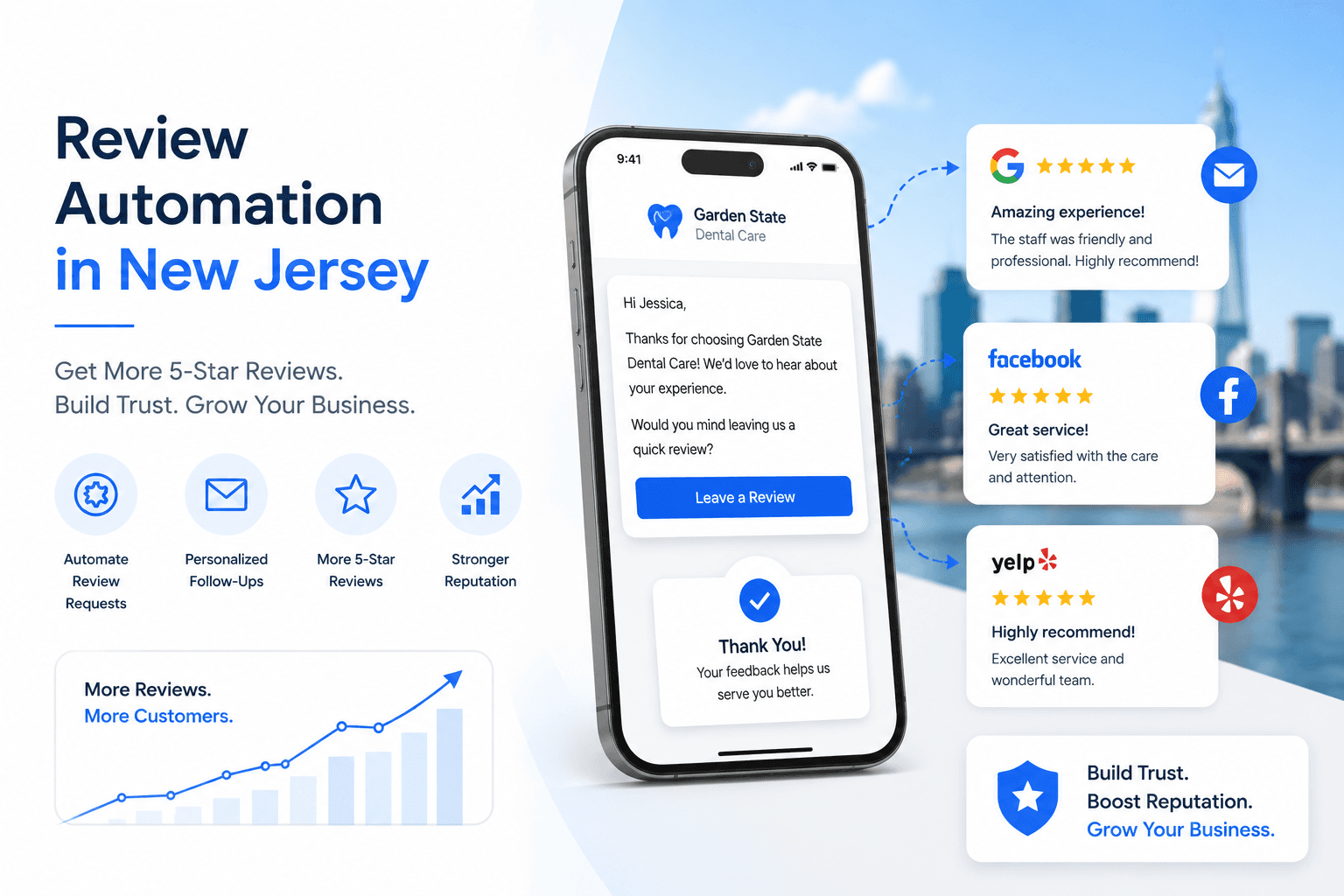
Review automation for New Jersey businesses is a system that automatically sends Google review requests to customers through SMS or email after a completed service, appointment, job, or purchase.
For local businesses, reviews are not only social proof. They are local SEO signals. Review volume, recency, velocity, rating, and response rate all influence how customers and search engines evaluate your business.
This guide explains how review automation works, why it matters for Google Maps visibility, which tools can support it, and how New Jersey businesses can use it without creating awkward manual follow-up work for the team.
Quick answer: what is review automation?
Review automation is a workflow that sends a review request automatically after a customer interaction is completed. A common setup sends an SMS within a few hours, follows up by email if the customer does not click, and tracks the request inside a CRM.
For many local businesses, review automation is built with GoHighLevel automation, Zapier, Make, Twilio, or a job management platform. The goal is not to pressure customers. The goal is to make asking consistent, timely, and easy.
Why reviews matter for New Jersey local SEO
Review signals are one of the strongest trust signals in local search. A New Jersey customer comparing HVAC companies in Bergen County, dentists in Newark, med spas in Jersey City, or contractors in Essex County usually checks reviews before calling.
Google also uses review signals to understand prominence and trust. A business with recent, specific reviews looks more active than a business with old reviews and no owner responses.
Review automation helps create review velocity: a steady rhythm of new reviews over time. That rhythm is more natural and useful than occasional bursts of reviews followed by long silence.
How automated Google review requests work
A simple review automation workflow starts when a service is completed. In a CRM, this might be a pipeline stage change such as Job Complete, Appointment Completed, Invoice Paid, or Customer Closed.
Once the trigger fires, the system sends an SMS with a direct Google review link. If the customer does not click or respond within a set window, the system can send an email follow-up. Some businesses add a final soft reminder after a few days.
The workflow should be short, polite, and transparent. It should never offer incentives for positive reviews, filter unhappy customers, or ask only selected customers. Google allows businesses to ask for reviews, but review gating and fake incentives are risky.
Best timing for a review request
The best time to ask is soon after the service or appointment is completed, while the customer's experience is still fresh. For service businesses, that might be the same day the job is marked complete. For appointment businesses, it might be shortly after the appointment status changes to completed.
A strong first SMS is simple: Hi First Name, thank you for choosing Business Name. Would you mind sharing a quick Google review? It helps local customers find us. Review Link
Do not overcomplicate the message. Customers should not have to search for your profile, copy a link, or figure out what to do next.
GoHighLevel review automation
GoHighLevel is a strong option for New Jersey service businesses because review requests can connect directly to CRM pipeline stages, appointment statuses, missed-call recovery, lead follow-up, and reporting.
A typical GoHighLevel review automation can trigger when a job moves to completed, send an SMS review request, wait for a response, send an email follow-up, notify the team, and log the activity in the contact record.
This matters because reviews should not be a disconnected task. They should be part of the same lead and customer journey as booking, reminders, calls, and follow-up.
Zapier and Twilio review automation
Zapier and Twilio can work well when a business already uses a separate booking tool or job management platform. For example, a completed job in Jobber, ServiceTitan, Calendly, or Acuity can trigger an SMS through Twilio.
This setup is usually lighter than a full CRM, but it can still solve the core issue: the review request goes out automatically when the customer experience is fresh.
Make automation for complex review workflows
Make can be useful for businesses with multiple locations, different service types, or custom data sources. It can route review requests differently based on service category, location, customer type, or completion status.
Turn insight into action
See where your growth system is losing opportunities.
Measure discovery, customer progression, revenue visibility, automation, and AI readiness in one structured assessment.
Start your assessment →For multi-location New Jersey businesses, this can help make sure each location's Google review link is used correctly and that each branch builds review volume consistently.
What review automation should not do
Review automation should not offer discounts, gifts, or rewards in exchange for reviews. It should not ask only happy customers. It should not block unhappy customers from leaving feedback. It should not generate fake reviews or use employees to inflate ratings.
The safest approach is to ask real customers for honest feedback after real transactions. Keep the message neutral and let customers choose what they want to say.
Review responses matter too
Collecting reviews is only part of the system. Responding to reviews shows customers and Google that the business is active. Positive reviews deserve a short, specific thank-you. Negative reviews deserve a calm, professional response that invites the customer to continue the conversation privately.
Response quality matters. Avoid robotic templates. Mention the service when appropriate, keep privacy in mind, and do not argue in public.
How review automation supports AI search visibility
AI search engines use trust signals when recommending local businesses. Reviews, star ratings, review recency, citations, and clear business information all help AI systems decide which companies to mention.
For New Jersey businesses, review automation can support AI visibility by creating fresh customer proof that aligns with your Google Business Profile, website, and local SEO content.
A business with strong Google Business Profile optimization, recent reviews, and structured website content is easier for AI systems to summarize than a business with weak or outdated local signals.
A simple review automation workflow
Step 1: the customer completes a service, appointment, or purchase.
Step 2: the CRM or booking system marks the job as complete.
Step 3: the review automation sends an SMS with the Google review link.
Step 4: if there is no response, an email follow-up goes out later.
Step 5: the team can track requests and respond to new reviews.
Step 6: review velocity improves month over month, supporting Map Pack trust signals.
What New Jersey businesses should automate first
Start with one clean workflow. Do not build a complicated review sequence before you have a reliable trigger and a correct Google review link.
For most NJ small businesses, the first workflow should be: completed job trigger, SMS review request, 24-hour email follow-up, and team notification when a new review appears or a response is needed.
Once that works, you can add location routing, service-specific wording, reporting dashboards, and review response templates.
Final thoughts
Review automation is one of the most practical local SEO systems a New Jersey business can build. It helps collect more reviews, keeps review requests consistent, improves Google Business Profile trust signals, and gives customers an easy way to share their experience.
If your business already uses a CRM, review automation can often be added quickly. If your follow-up system is still manual, it may be worth pairing review automation with a broader GoHighLevel automation setup.
Frequently Asked Questions
What is review automation for New Jersey small businesses?
Review automation is a system that automatically sends review requests to customers by SMS or email after a completed service, appointment, or purchase. It helps NJ businesses ask consistently without relying on manual follow-up.
Does automated review collection violate Google's guidelines?
No. Automated review requests are allowed when they go to real customers and do not offer incentives, buy reviews, or filter unhappy customers. Businesses should ask for honest feedback from real transactions.
What is the best time to send a review request?
The best time is soon after the service or appointment is completed, while the customer's experience is fresh. Many businesses send the first SMS within a few hours and a follow-up email later if needed.
Should I use GoHighLevel or Zapier for review automation?
GoHighLevel is stronger when you want review requests connected to a full CRM pipeline. Zapier can work well if you already use a booking or job system and only need a simple SMS trigger.
Can review automation help with AI search visibility?
Yes. Recent reviews and strong ratings can support trust signals that AI search engines use when recommending local businesses, especially when paired with GBP optimization and structured website content.
About the Author
Gagan Deep is the founder of Flux Media Creations, building local SEO, Google Business Profile, and GoHighLevel automation systems for New Jersey businesses that need stronger visibility and faster follow-up.
Related Posts
Continue exploring
Article resources
Table of contents
Recent posts
Services we offer
Categories